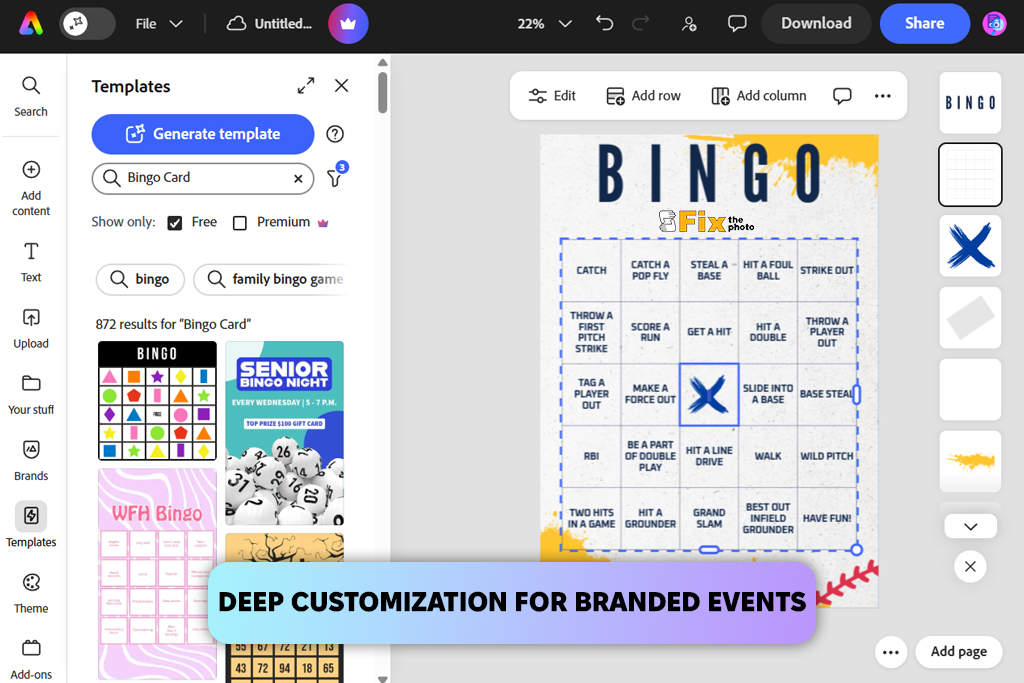
Bingo is one of the most enduring and universally loved games in the world. Whether it is played in a bustling community hall, a quiet elementary school classroom, a corporate team-building seminar, or at a lively baby shower, the core appeal remains identical: anticipation, community engagement, and the thrill of shouting that famous word. However, standard commercial bingo cards featuring generic number layouts can quickly become monotonous or fail to fit the specific vibe of a modern gathering.
When you want to elevate an event from ordinary to unforgettable, customisation is the key. Designing your own boards allows you to tailor vocabulary, incorporate specific visual themes, and distribute randomized or unique number sequences effortlessly. Thanks to modern digital tools, you no longer need to manually draw grids or cut out paper slips. Utilising a dedicated Bingo Generator simplifies the entire process, turning a tedious administrative chore into a creative and enjoyable project. This guide explores the complete process of creating custom bingo cards with unique numbers and themes, offering practical tips to ensure your game is a resounding success.
Understanding the Appeal of Custom Bingo
Traditional 75-ball or 90-ball bingo has its place in traditional halls, but modern events demand a higher level of personalisation. Customisation transforms bingo from a simple game of chance into an interactive experience deeply relevant to the participants.
Consider an educational setting where children are learning vocabulary words, fractions, or historical dates. Standard numerical grids are entirely useless for this objective. By designing custom cards, educators can replace standard numbers with spelling words, scientific elements, or historical figures. Similarly, corporate training sessions benefit immensely from buzzword bingo, where participants listen for key terms like synergy, deliverables, and scalability during a quarterly review.
When people see their favourite colors, inside jokes, specific academic topics, or relevant industry terms printed directly onto their game boards, their engagement skyrockets. Furthermore, custom cards allow hosts to control the difficulty of the game. You can adjust the grid size—from a quick 3×3 grid for younger children to a challenging 5×5 layout for seasoned players—ensuring that round lengths match your exact schedule.
The Role of a Bingo Generator in Modern Design
In the past, creating custom bingo cards required hours of spreadsheet formatting, manual number shuffling to ensure no duplicate cards were printed, and tedious cutting and pasting. Today, technology has streamlined this workflow entirely.
A quality Bingo Generator acts as your digital layout assistant, automating the heavy lifting of randomization, formatting, and pagination. Instead of manually verifying that every single card in a batch of fifty is distinct, a robust generator handles the mathematical permutations instantly. It ensures that every participant receives a truly unique distribution of words, images, or numbers, preventing multiple people from winning simultaneously due to identical board configurations unless that is your explicit intention.
Furthermore, digital tools allow you to experiment with aesthetic layouts instantly. You can test different fonts, swap color palettes, adjust cell dimensions, and preview how the final product will look before wasting a single drop of printer ink. Whether you need numerical sequences or text-based prompts, leveraging an automated tool ensures professional results without requiring graphic design expertise.
Step-by-Step Guide to Creating Your Custom Bingo Cards
Creating professional-grade, highly engaging custom bingo cards involves a clear, methodical workflow. By breaking the process down into manageable stages, you ensure that your final product looks polished, functions smoothly, and delights your participants.
Step 1: Define Your Event Objectives and Audience
Before touching any design software or selecting a template, you must establish the fundamental parameters of your game. Ask yourself a few foundational questions: Who is playing? What is the core purpose of the event? How much time do we have for each round?
The answers to these questions dictate everything that follows. If your audience consists of energetic toddlers attending a birthday party, your cards need large fonts, bright primary colors, and simple, recognisable picture icons instead of dense numerical data. If your audience consists of professionals at an annual conference, a sleek, minimalist design featuring industry-specific terminology will strike the right tone. Understanding your demographic prevents you from creating a game that is either frustratingly complex or underwhelmingly simple.
Step 2: Choose Your Theme and Content Pool
Once your audience is defined, you can curate your content pool. This is the master list of words, phrases, numbers, or image prompts that will be randomly distributed across your cards.
For a themed party—such as a spooky Halloween gathering, a rustic autumn wedding shower, or a holiday office party—your content pool should reflect that specific atmosphere. Gather at least 24 to 30 unique items for a standard 5×5 grid (accounting for the central free space). If you are using numbers, decide whether you want a standard 1 to 75 numerical range or a customized numerical subset, such as numbers between 1 and 50 for a faster-paced game.
Ensure that your terminology is crystal clear. Ambiguous words or overly long phrases can slow down gameplay as players squint to read their boards. Keep terms concise, punchy, and instantly recognizable at a glance.
Step 3: Utilise a Bingo Generator for Layout and Randomization
With your content pool locked in, it is time to bring your design to life using a reliable online generator. Enter your curated list of words or numerical parameters into the system.
Select your desired grid dimensions. The classic 5×5 grid remains the gold standard for traditional gameplay, offering a balanced mix of challenge and speed. However, smaller 4×4 or 3×3 grids work wonderfully for children or for rapid-fire rounds where you want multiple quick winners.
Activate the randomization feature to shuffle the items across your batch of cards. A good generator ensures that no two cards in your output file are exact duplicates. Pay close attention to the visual styling options provided by the tool. Select clean, highly legible fonts that can be easily read across a crowded room. Avoid overly scripty or decorative typefaces for the main game text, as legibility is paramount when excitement is running high.
Step 4: Incorporate Visual Themes and Branding
Aesthetics matter greatly when creating memorable experiences. Plain black text on a stark white background can feel sterile, whereas a well-designed theme immerses players in the mood of the event.
Incorporate color schemes that match your occasion. If you are hosting a spring bridal shower, soft pastels and floral border accents elevate the presentation. For a corporate event, subtle branding elements, such as company colors or a discreet logo placed in the header, add a touch of professional polish. Many digital generators allow you to upload custom background images or select from a library of thematic icons. Just ensure that any background graphics remain faint enough not to interfere with the legibility of the grid text or numbers.
Step 5: Review, Test, and Print
Before printing out fifty copies of your custom creation, always perform a thorough quality control check. Print a single test page first. Examine it under normal room lighting to ensure the font size is comfortable to read and that the grid lines are crisp and clear.
Check your content pool for any embarrassing spelling typos, duplicate entries within the same card, or awkward line breaks that might confuse players. Once you are completely satisfied with the test print, generate your complete batch. Consider printing your cards on slightly heavier cardstock rather than standard printer paper. Sturdier cards feel more substantial in the hand, resist accidental spills, and can be easily saved as charming souvenirs of the occasion. Pair your printed cards with fun, thematic markers—such as candy pieces, glass beads, or custom tokens—to complete the tactile experience.
Best Practices for Seamless Gameplay
Designing gorgeous cards is only half the battle; managing the game effectively ensures everyone has a fantastic time.
First, always establish the winning patterns clearly before the first ball is drawn or the first word is called. While a traditional full house or single line is standard, you can mix things up by calling for four corners, a diagonal slash, a postage stamp in the corner, or even a letter shape that corresponds to the theme of your event.
Second, keep the pace brisk. If you are using a text-based or concept-based theme rather than a traditional number draw, ensure that the caller has a master checklist and clearly defines what constitutes a valid match. For example, if players are listening for specific buzzwords during a presentation, make sure everyone understands the exact definition of those terms to prevent friendly disputes.
Finally, always have a small supply of backup blank cards and spare markers on hand. Technical glitches, unexpected guests, or an accidental coffee spill can happen to anyone, and being prepared ensures the momentum of your event never skips a beat.
Conclusion
Creating custom bingo cards is a powerful way to inject personality, engagement, and tailored fun into any gathering. By moving away from generic commercial grids and embracing the flexibility of a modern Bingo Generator, you gain total control over the themes, difficulty, and visual aesthetic of your game.
Whether you are educating young minds in a classroom, energizing professionals at a corporate retreat, or celebrating a milestone life event with family and friends, custom boards demonstrate thoughtfulness and attention to detail. By following a structured process—defining your audience, curating a targeted content pool, leveraging digital automation for unique layouts, and prioritizing legibility—you create an interactive centerpiece that participants will talk about long after the final prize has been claimed. Gather your ideas, embrace your creativity, and get ready to shout bingo in style.