
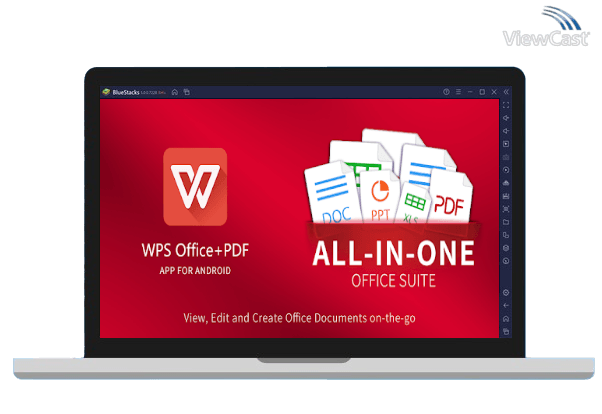
In the modern digital world, handling documents efficiently is crucial, and PDF files have become a standard format for sharing information. While PDFs are reliable for preserving formatting and layout, editing them has historically been challenging. Fortunately, WPS offers a robust solution that simplifies PDF editing, making it faster and more accessible for both professionals and casual users. This article explores how WPS makes PDF editing quick and easy, covering its features, benefits, and practical applications.
Intuitive User Interface
One of the primary reasons WPS stands out in PDF editing is its intuitive interface. The software is designed with user experience in mind, ensuring that even beginners can navigate its tools effortlessly. Unlike traditional PDF editors that often overwhelm users with complex menus and options, WPS presents a clean and organized layout. Editing text, inserting images, and adding annotations can be done with a few clicks. The familiar office-suite style of WPS also reduces the learning curve, as users who have experience with word processors can immediately feel comfortable.
Fast and Accurate Text Editing
Editing text in a PDF can be frustrating with some software, as formatting often gets distorted. WPS, however, handles text editing with precision. Users can directly edit paragraphs, change fonts, adjust sizes, and even modify alignment without disrupting the overall structure of the document. This feature is particularly useful for professionals who need to make quick updates to reports, contracts, or presentations. The accuracy of text editing in WPS eliminates the need for time-consuming workarounds, such as converting PDFs to Word documents before making changes.
Efficient Annotation and Markup Tools
WPS also excels in providing tools for annotation and markup, which are essential for collaborative work. Users can highlight important sections, underline key points, and add comments to convey feedback efficiently. Additionally, the software allows drawing shapes, inserting stamps, and using freehand tools, which are helpful for reviewing drafts or legal documents. These features make it simple to communicate edits and suggestions without altering the original content, saving time in team projects or client communications.
Seamless Image and Object Editing
PDF documents often contain images, charts, or other objects that need adjustments. WPS enables users to edit these elements easily. Images can be resized, repositioned, or replaced without affecting surrounding text. Users can also add shapes, icons, or watermarks to enhance the visual appeal of their documents. This capability is particularly valuable for marketing materials, presentations, and business reports, where maintaining a professional look is crucial. With WPS, modifying visual elements is quick, intuitive, and doesn’t require advanced design skills.
Quick Conversion Between Formats
Sometimes, editing PDFs requires converting them into other formats, such as Word, Excel, or PowerPoint. WPS simplifies this process with its efficient conversion tools. Users can convert PDF files into editable formats without losing formatting, tables, or images. Once edits are complete, the document can be saved back as a PDF seamlessly. This flexibility not only saves time but also ensures that users can work with their preferred tools while maintaining the integrity of the original document.
Batch Processing for Large Documents
Handling multiple PDFs simultaneously can be time-consuming, but WPS addresses this with batch processing capabilities. Users can merge multiple files, split large PDFs into smaller sections, or apply uniform changes across several documents at once. This feature is invaluable for offices or educational institutions that deal with large volumes of documents regularly. By reducing repetitive tasks, WPS significantly speeds up workflows and increases productivity.
Security and Protection Features
In addition to editing capabilities, WPS provides tools for securing PDF documents. Users can add passwords, restrict editing permissions, and apply digital signatures to protect sensitive information. These security features are integrated seamlessly, allowing users to edit and protect their PDFs in one platform. Professionals handling confidential contracts, financial statements, or personal records can confidently make changes without compromising security.
Cloud Integration for Flexibility
Modern workflows demand flexibility, and WPS delivers this through cloud integration. Users can access and edit PDFs from multiple devices, including desktops, laptops, tablets, and smartphones. Cloud storage ensures that changes are synced across devices, eliminating the hassle of transferring files manually. This capability is especially useful for remote teams and individuals who need to edit documents on the go. WPS’s cloud integration makes PDF editing more convenient and adaptable to different work environments.
Practical Applications in Everyday Life
The advantages of WPS in PDF editing extend beyond professional settings. Students can use it to annotate lecture notes or combine research articles into a single document. Freelancers and creatives can edit client proposals, contracts, or portfolios efficiently. Even casual users benefit from features like adding signatures to forms or organizing personal documents. The versatility of WPS ensures that PDF editing is not only quick and easy but also relevant across various contexts.
Continuous Updates and Support
WPS continuously improves its software to meet user needs. Regular updates introduce new features, enhance existing tools, and ensure compatibility with the latest PDF standards. Additionally, WPS offers robust customer support, tutorials, and community forums. Users can access guidance for troubleshooting, learning new features, or optimizing their workflow. This ongoing support ensures that PDF editing with WPS remains a smooth and efficient experience.
Conclusion
WPS has transformed PDF editing from a cumbersome task into a fast, straightforward, and efficient process. Its intuitive interface, precise text and image editing tools, annotation capabilities, format conversion options, batch processing, security features, and cloud integration make it an indispensable tool for both professionals and everyday users. By combining ease of use with powerful functionality, WPS enables users to edit PDFs quickly without compromising quality or accuracy. Whether for business, education, or personal use, WPS provides a complete solution for making PDF editing simple, effective, and stress-free.
The growing popularity of WPS is well-deserved, as it empowers users to manage their documents with confidence and efficiency. In a world where time is valuable, WPS ensures that PDF editing is no longer a hurdle but a seamless part of the workflow.
